
You come off the track, the MyChron has a full session on it, and the laptop in your bag is a MacBook.
You copy the file over, double-click it, and macOS has no idea what an .xrk is. You ask around the paddock
and somebody tells you to borrow a Windows laptop.
You don't need one. Here's how to open AiM data on a Mac, and on your iPhone and iPad while you're at it.
What is an XRK file?
An XRK file is the session your AiM logger recorded, in AiM's own format. It holds every lap, the GPS position many times a second, and every channel the logger was wired for: RPM, exhaust temperature, water temperature and whatever else you've plugged in. MyChron loggers write them, and so do AiM's other loggers.
An XRZ file is the same session, compressed. You don't need to unzip it first; anything that reads XRK should read XRZ too.
AiM's own software for reading these files is RaceStudio 3, and it runs on Windows. That's why so many Mac owners end up running Windows in a virtual machine, borrowing a teammate's laptop, or (most often) just not looking at their data at all.
Can you open XRK files on a Mac?
Yes. Slicks opens XRK and XRZ files on the Mac with nothing from AiM installed. It reads the file on your Mac itself, so it works with no internet connection, and it's free. The same download runs on iPhone and iPad, and your sessions sync between them.
Step 1: get the file off the logger
This part still happens with AiM's own tools, the same way you download sessions today. If that's
RaceStudio 3 on a Windows laptop, the good news is it keeps every session it downloads as an .xrk file.
Search that laptop for .xrk and you'll probably find your whole season sitting there.
Then get the files onto your Mac however suits you: a USB stick, a shared folder (iCloud Drive, Dropbox, Google Drive), or an email to yourself. If a teammate pulls everyone's data, ask them for the XRK files rather than screenshots.
Step 2: open it in Slicks
Any of these work, and you can bring in a whole folder of sessions at once:
- Drag the files onto the sessions list in the sidebar.
- File › Import Sessions… (or press ⌘O) and pick them.
- Right-click a file in Finder › Open With › Slicks.
Each session lands with its track, driver and date read from the file. When you bring in a single new session, Slicks first asks what you changed on the kart: gearing, tire pressures, carb, axle, track width, caster, new tires. It asks before you see any numbers, on purpose. Once you've seen a fast lap, it's very easy to remember the change that "obviously" made it fast.
What you'll see
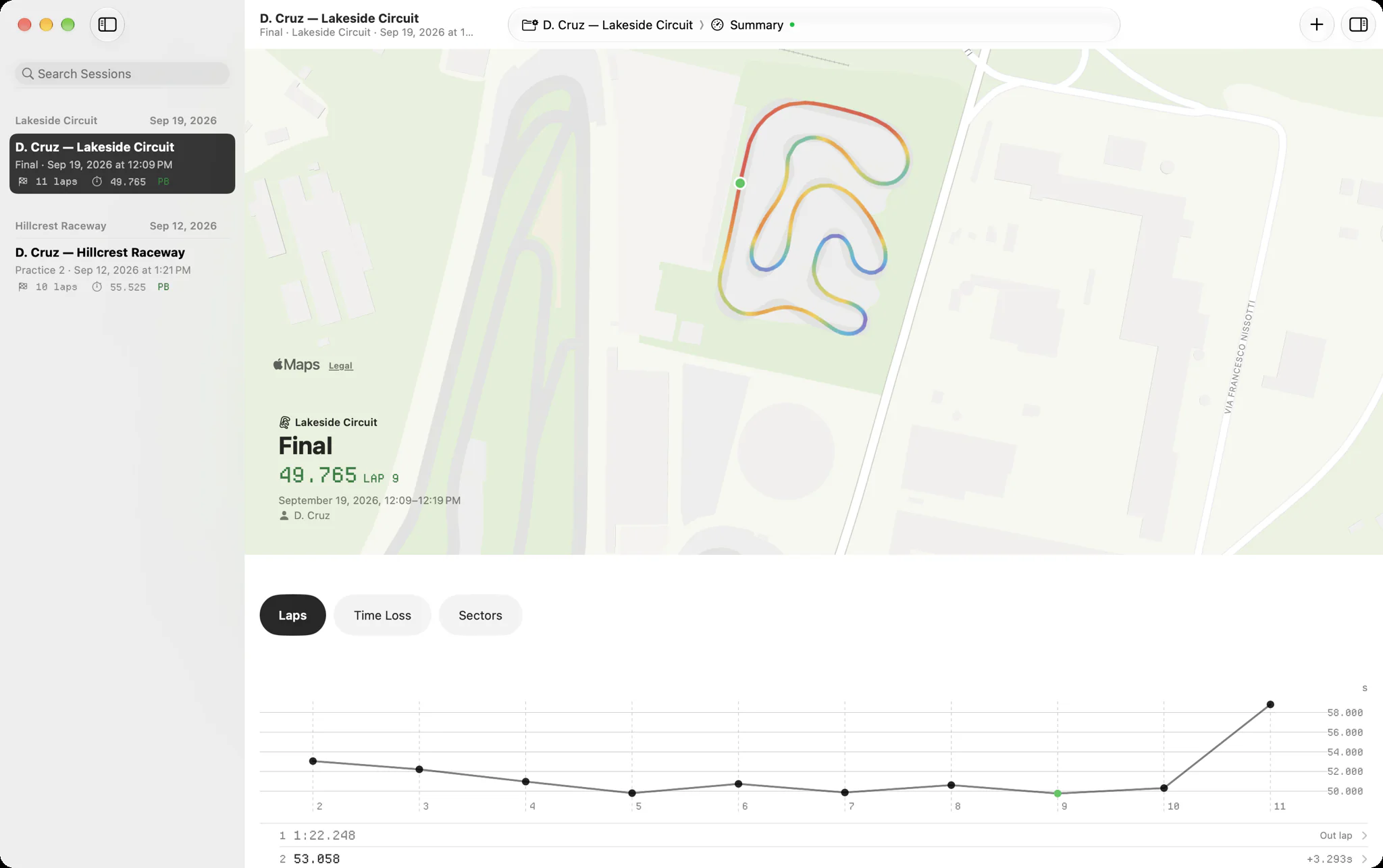
- Summary: every lap split into sectors, your best lap, the theoretical best, the corners that cost you the most time, and your engine's peaks against the window your tuner gave you.
- Track: your laps drawn on a real map of the circuit, coloured by speed or by any channel the logger recorded.
- Laps: one channel charted across every timed lap, so you can see a trend over a session.
- Channels: every channel against time or distance. Hover anywhere for the exact reading.
New to all of these? Our beginner's guide to reading kart telemetry walks through what each one tells you and what to look at first.
On iPhone and iPad
Your Mac is great at home. At the track, your phone is already in your pocket. On iPhone and iPad you can open an XRK file straight from the Files app, or AirDrop it over from your Mac. Sign in on each device and a session imported on one shows up on the others.
No file to try it with?
Open Slicks with an empty library and tap Try a Sample Session. It's a real kart session with real laps, so you can poke around everything above before your next track day.
Quick answers
Do I need RaceStudio installed on the Mac? No. Slicks reads the files itself.
Does it work with MyChron files? Yes. Slicks reads the XRK and XRZ files AiM loggers record, MyChron included.
Does it need an internet connection? No. Your sessions open and show their numbers offline. Syncing catches up when you're back online.
Can Slicks set up my logger? No. Configuring the logger stays with AiM's software. Slicks is for reading what it recorded.
Is it really free? Yes. One free download for iPhone, iPad and Mac.
Got a file that won't open? Send it to hello@slicks.app and we'll take a look.