
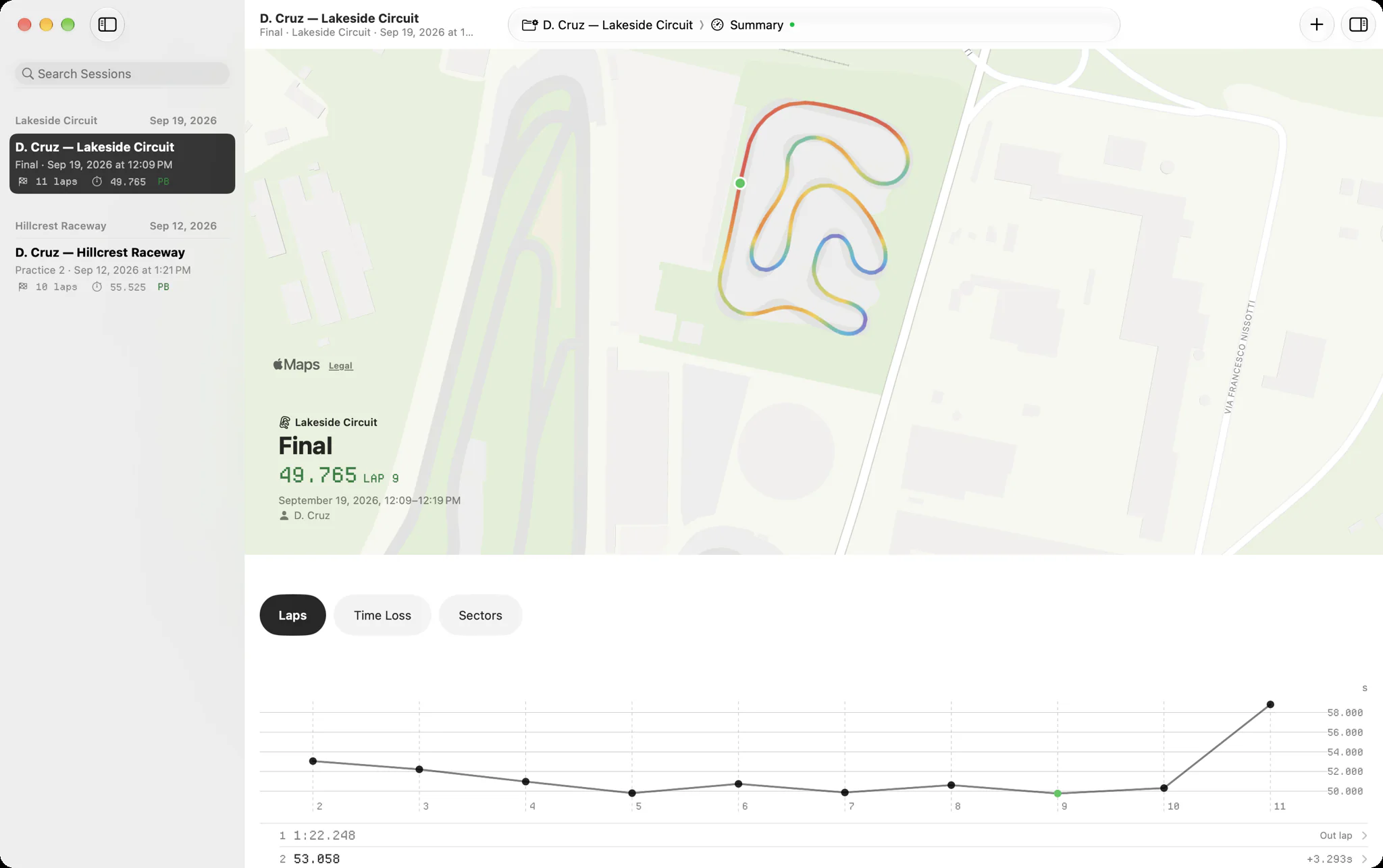
There is no RaceStudio 3 for Mac. A Mac owner can run it in a Windows virtual machine, keep a cheap Windows laptop for downloads, or download with AiM's phone app, and then read the files natively on the Mac with Slicks, which opens AiM's XRK and XRZ files with no AiM software. The catch is getting the file off the logger.
Two jobs, not one
It helps to split what RaceStudio 3 does into two jobs:
- Talking to the logger: setting it up, and downloading each session off it.
- Reading the sessions: laps, sectors, the map, the channels.
The first job needs AiM's software, because the logger only talks to AiM's tools. The second only needs something that can read an XRK file. Once you see it that way, the Mac problem gets smaller: you need a way to do job one now and then, and a good way to do job two often.
Option 1: Windows in a virtual machine
AiM's own suggestion for Mac owners is to run Windows in Parallels, VMware or VirtualBox and install RaceStudio 3 inside it.
- Good for: doing everything, setup and download and analysis, on the one laptop you already own.
- The catch: AiM warns that on a Mac with Apple silicon, the M-series chips, there is a high chance RaceStudio 3 will not communicate with the logger. Downloading over Wi-Fi means the virtual machine has to reach the logger's own Wi-Fi network through the Mac's, which takes some setting up when it works at all.
- Older Intel Macs can also run Windows directly through Boot Camp. Apple silicon Macs cannot.
If you try this, test a full download at home before a race weekend depends on it.
Option 2: a cheap Windows laptop for downloads
The most common answer in the paddock is an inexpensive Windows laptop that lives in the kart bag and does job one only.
- Good for: reliable downloads and logger setup with AiM's software exactly as AiM intends.
- The catch: another machine to charge, update and carry. It does not need to be fast; it only downloads.
RaceStudio 3 saves each download as an .xrz file in a folder for the day. From there a shared folder
(iCloud Drive, Dropbox, Google Drive) or a USB stick gets it to the Mac. Our page on
opening XRZ files covers where those files are and moving a season's worth across.
Option 3: AiM's phone app
Since May 2026 AiM has a RaceStudio 3 app for iPhone and Android that downloads sessions from the logger and shows them.
- Good for: downloading without any laptop at all, from the phone you already have.
- The catch: it is a phone app, so there is less room for analysis than on a desktop, and getting the session into another app depends on what AiM's app lets you share. Check that before you plan a weekend around it.
Option 4: read the files natively with Slicks
Whichever of the first three does job one, Slicks does job two on the Mac itself. It reads XRK and XRZ files with its own parser, so it needs no AiM software and no internet connection.
- Drag files onto the sidebar, use File › Import Sessions… (⌘O), or right-click a file in Finder and choose Open With › Slicks. A whole folder comes in at once.
- The library window groups your sessions into race weekends in the sidebar, with search.
- Four tabs for the selected session: Summary (sectors, the theoretical best, the corners that cost most, engine peaks), Track (the map coloured by any channel, with six GPS channels for the lap you pick), Laps (one channel across every timed lap) and Channels (every channel, charted over time or distance with a hover cursor, zoom and delta mode).
- An inspector beside it with notes, engine peaks, the kart's setup and every channel's range.
The same app runs on iPhone and iPad, and sessions sync between them, so the files you import at home are on your phone at the track. Our page on kart data analysis on a Mac goes through the Mac app in more detail.
Which to choose
| Downloads | Sets up the logger | Analysis on the Mac | The catch | |
|---|---|---|---|---|
| Virtual machine | Maybe | Maybe | RaceStudio 3, in Windows | Apple silicon may not talk to the logger |
| Cheap Windows laptop | Yes | Yes | No, files go across | A second machine |
| AiM's phone app | Yes | Yes | No, files go across | Sharing out of the app |
| Slicks | No | No | Yes, native | Needs one of the above to download |
For most Mac owners the combination that holds up is a download option from the first three rows plus Slicks on the Mac, iPhone and iPad for reading. If you want the full picture of what each tool is for, see our fair comparison of RaceStudio 3 and Slicks.
One of the first three options stays part of your kit whatever you choose: Slicks does not download from the logger or set it up.
